

Introduction
The AI Translation Suite (NiceTranslate) translates the content of a Shopware 6 shop into your shop languages. You select the translation provider that does the work.
The extension reads your content in the source language and sends the text to that provider. It then writes the result back as a native Shopware translation. These are the same rows that the Administration writes when you translate a field by hand.
In the storefront, the extension shows nothing of its own. The storefront reads the same translation tables as before. Your translated content stays in the shop if you deactivate or uninstall the extension.
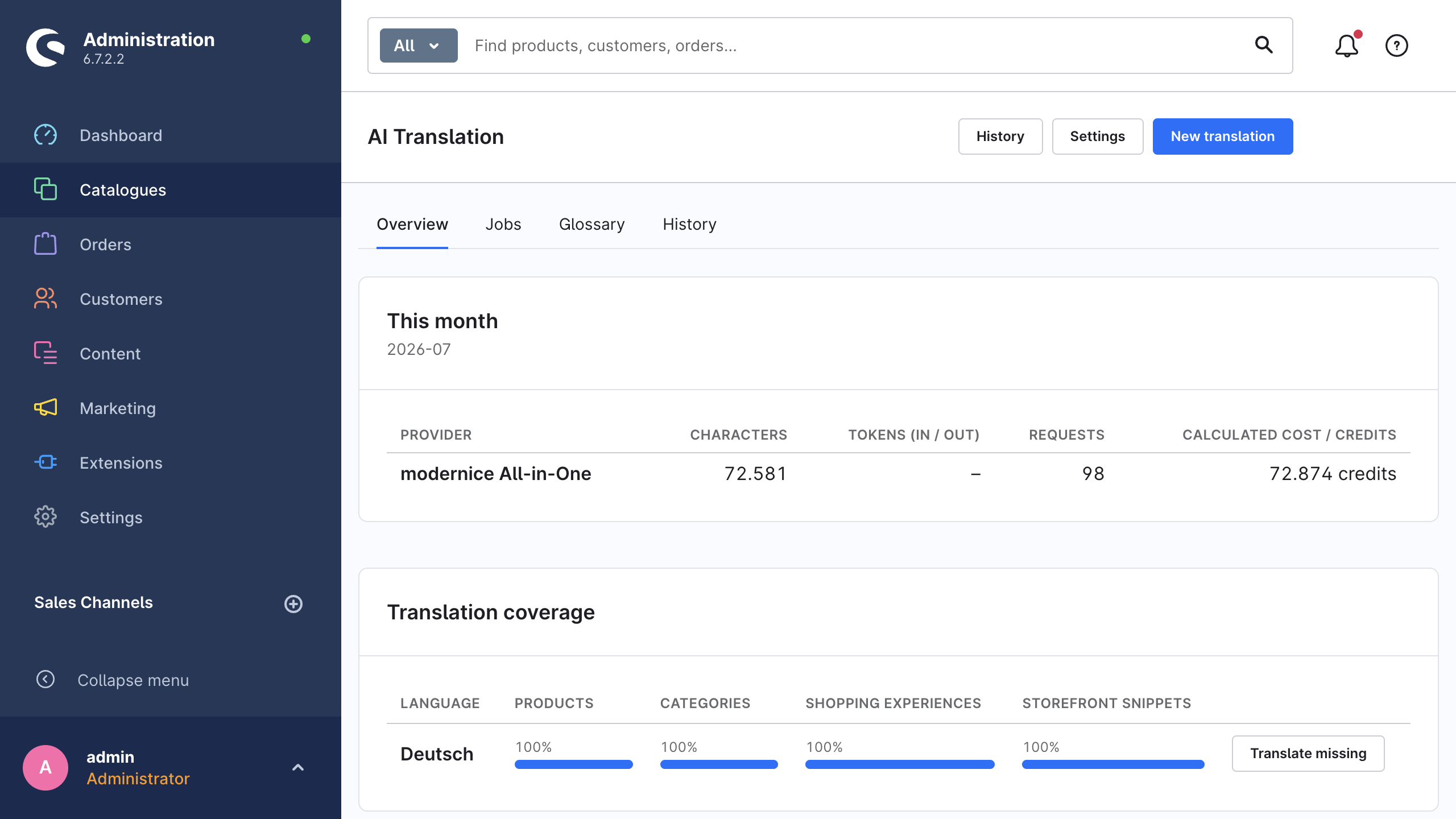
One module contains all functions, under Catalogues → AI Translation: a dashboard with usage and coverage figures, a wizard with four steps for bulk runs, a job list, a glossary and the translation history. To translate one record, use the Translate button on a product or a category.
Supported content
The extension translates 17 Shopware entity types and storefront snippets. Together these give the 18 content types that you can select in the wizard. The list includes products, categories, Shopping Experiences, landing pages, manufacturers, properties, media alt texts and titles, email templates and translatable custom fields.
Each content type has a fixed list of fields, and the extension writes only these fields. The lists contain no identifiers, no URLs and no technical names. The CMS walker does not translate media references, links, colours, CSS classes and configuration keys. Supported content gives the full list of content types, the exact fields for each type, and the rules for CMS layouts.
Providers
Translations can go through your own provider accounts, through modernice All-in-One, or through both at the same time. You select the provider for each job, and you can also map a provider to each target language.
| Your own API keys | modernice All-in-One | |
|---|---|---|
| Providers | DeepL, Google Translate, OpenAI (ChatGPT), Anthropic Claude, Google Gemini, Mistral | modernice selects the provider. You select a service tier. |
| Setup | Paste one API key into Settings → Providers. | Book a plan with Shopware In-App Purchase. |
| Prerequisite | An account with the provider. | A connection between the shop and the Shopware Store. |
| Billing | The provider bills you under your own contract. | Monthly credits through your Shopware account. |
| Where requests go | From your server directly to the provider. | Through the modernice translation service. |
One key is sufficient to start. Translation providers gives the details, which include the model selection and the routing per language. modernice All-in-One describes the plans, the credits and the three quality tiers: Speed, Balanced and Premium quality.
Safety mechanisms
Four mechanisms are on by default.
| Mechanism | What it does |
|---|---|
| Manual-edit protection | The extension stores a fingerprint of each value that it writes. If you then edit that translation by hand, the next run does not change the field. This is also true in Retranslate all fields mode, for as long as Protect manual edits stays on. |
| Skip unchanged content | The extension also fingerprints the source text. If the source did not change after the last run, the extension does not send the field to the provider again. A second run over the same catalogue therefore costs money only for the content that changed. |
| Placeholder protection | The extension locks Twig variables, snippet placeholders and URLs before the text leaves the shop, then puts them back unchanged. If a provider damages or deletes one of these tokens, the extension writes nothing and reports the field as failed. |
| Translation history | The extension records each translated field with its previous value and its new value. From there you can revert one field, a selection of fields or a full job, and re-apply any of them later. A revert first examines the current value. If that value no longer agrees with the history entry, the extension skips the field. |
Read Safety mechanisms for the full behaviour of each gate. Translation history explains the recording, the retention and the revert rules.
Supported versions
The extension supports Shopware 6.6.9, all later 6.6 releases and the 6.7 line. PHP 8.2 or a later version is necessary. Translation goes through the Shopware message queue, therefore the shop needs active queue workers. Requirements gives the details.
Next steps
- Requirements: what you must have before you install.
- Installation: how to install, activate and verify.
- Quick start: your first translation in six steps.