

Settings reference
This reference lists each tab and each field, with the effect of each setting and its default value. The guide pages that each section links to explain the concepts behind the settings.
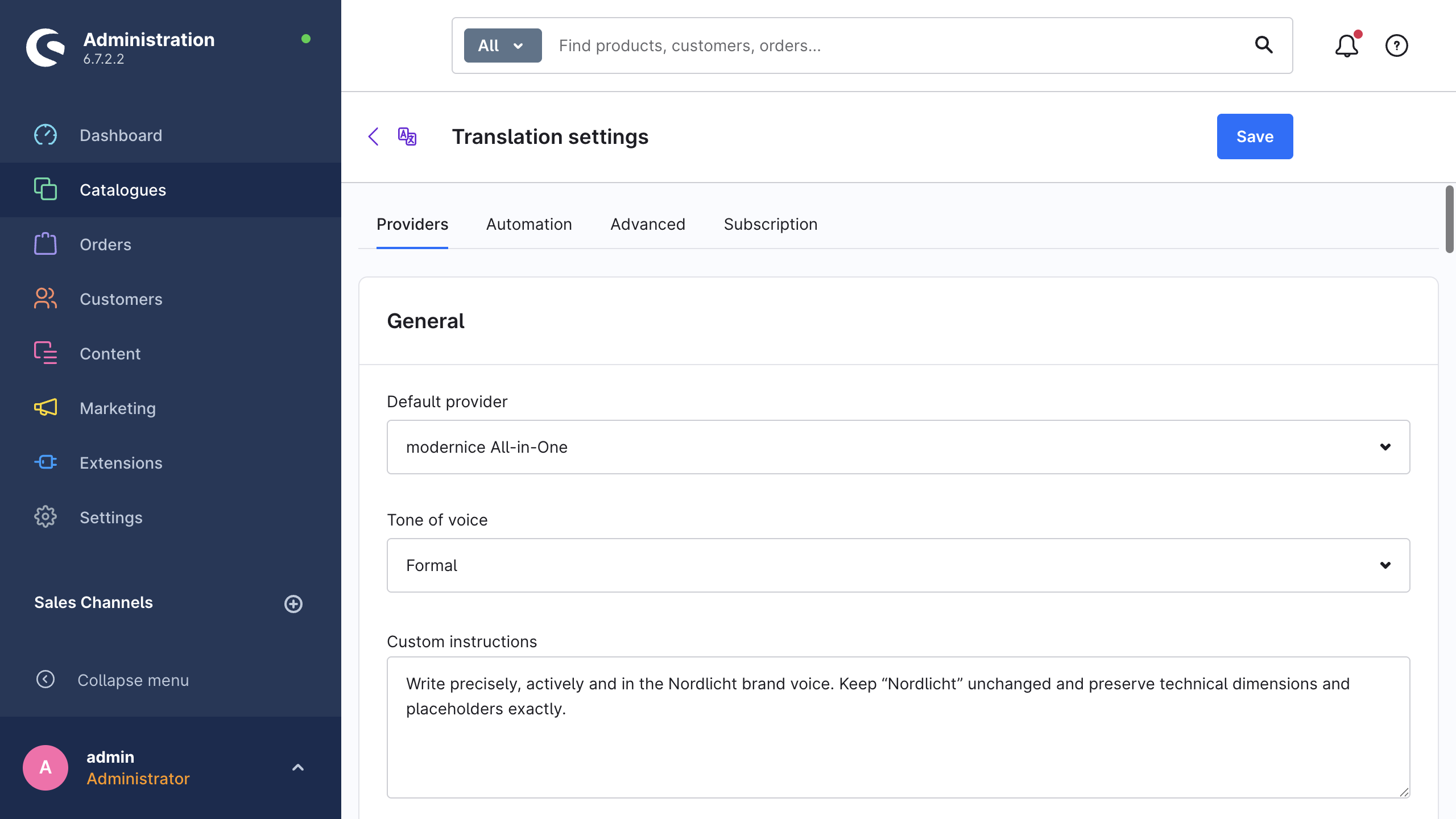
Where the settings are
Open Catalogues → AI Translation and click Settings. The page has the title Translation settings, and Shopware also registers it as AI Translation in its own Settings overview.
- To edit and save, you need the
nice_translate.editorprivilege. See Permissions (ACL). - The extension stores all values in the system configuration of Shopware, under the domain
NiceTranslate.config.*. A save writes only the keys that you changed. The end of this page contains the full key list. - The labels below are the exact en-GB Administration labels. The German Administration shows the same fields with German labels, therefore use the German version of this page for those labels.
- The tabs are Providers, Automation, Advanced and Subscription, in that order.
The fields continue to operate even if the extension cannot load the provider list. The page then shows The provider list could not be loaded. You can still enter API keys and save them.
While no API key is stored and modernice All-in-One is available for purchase, the other tabs show an informational card about modernice All-in-One. The card advertises the subscription only, and it changes no setting.
Providers
This tab contains everything about the selection of a translation service and the connection to it. Translation providers describes the concepts and the setup steps for each provider.
General
| Setting | What it does | Default |
|---|---|---|
| Default provider | The fallback that the extension uses when neither a job nor a target-language mapping selects a provider. | DeepL |
| Tone of voice | Preselects the tone for new translations: Neutral (provider default), Formal or Informal. Only the AI providers act on it. DeepL uses its own Formality setting. | Neutral (provider default) |
| Custom instructions | Optional instructions that the extension adds to the prompt of the AI providers, for example wording rules or brand rules. DeepL and Google Translate ignore them. | empty |
Providers by target language
| Setting | What it does | Default |
|---|---|---|
| One select for each target language, labelled with the language name | Select an optional provider for each target language. On-save automation and scheduled automation use this mapping when no provider override is selected. Manual translations keep the provider from their dialog. | Use default provider |
The extension resolves a provider in three steps: the language mapping, then Default provider, then DeepL as the built-in fallback. The card lists each language except the system language. If the shop has no other language, it shows There are no additional target languages in this shop yet.
Provider cards
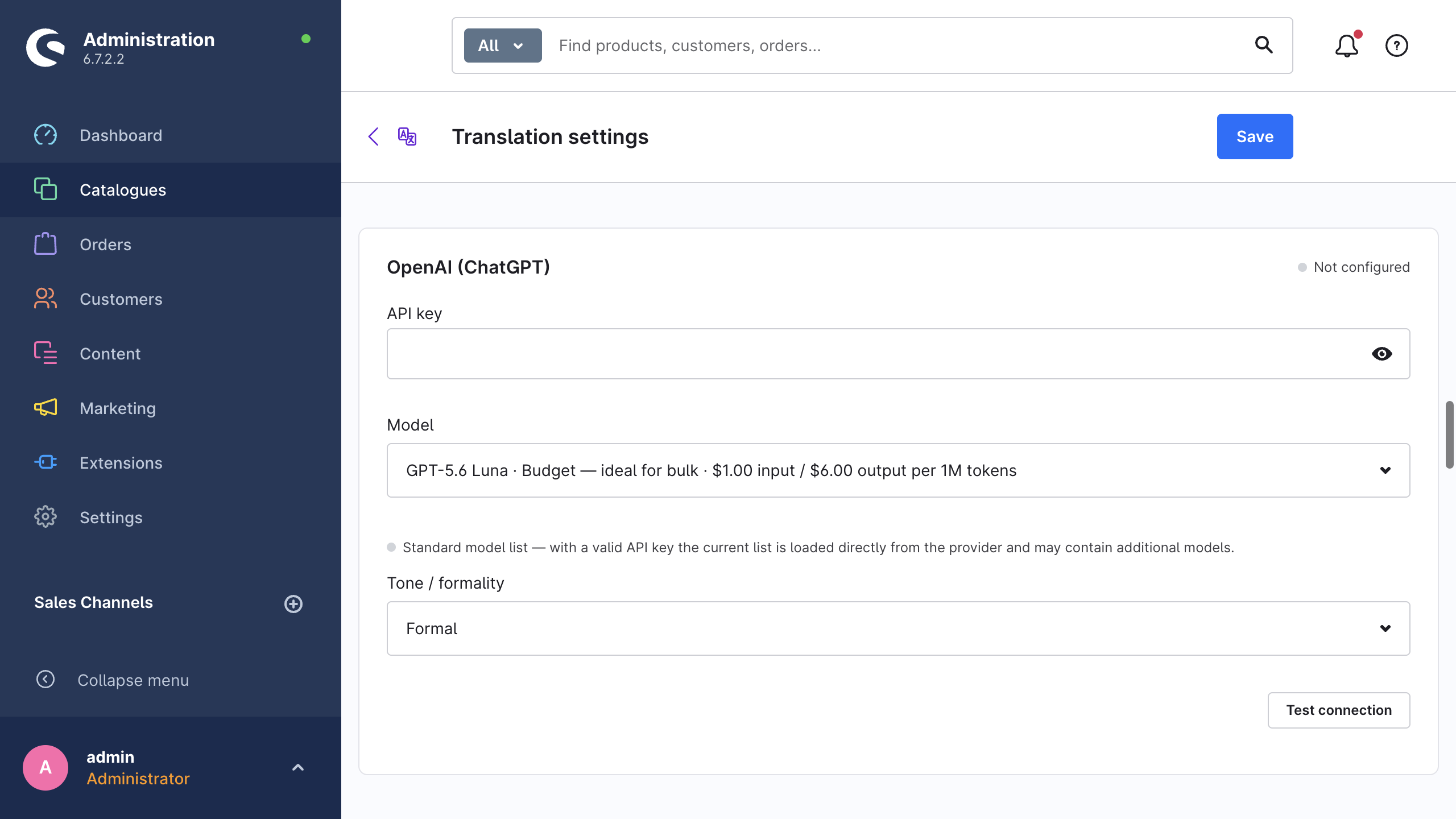
There is one card for each provider: DeepL, Google Translate, OpenAI (ChatGPT), Anthropic Claude, Google Gemini and Mistral. modernice All-in-One has no card here. It is on the Subscription tab.
| Setting | What it does | Default |
|---|---|---|
| API key | The key that this shop uses for that provider. The badge next to the card title shows Configured or Not configured for the saved key. | empty |
| Model | The model that the extension uses for the translations. The card shows this field only for the providers with models (OpenAI, Anthropic, Gemini, Mistral). With a valid key, the extension loads the list live from the provider and merges it over the standard list. | see the table below |
| Model type (DeepL only) | Prefer quality-optimised (recommended), Quality-optimised only or Latency-optimised (faster). | Prefer quality-optimised (recommended) |
| Formality (DeepL only) | Provider default, More formal or Less formal. The extension sends it only for the target languages where DeepL supports formality. | Provider default |
| Test connection (button) | Validates the key that the field contains, saved or not, against the provider. It shows the quota information where the provider exposes it. A successful test also refreshes the live model list. | — |
Default models:
| Provider | Default model |
|---|---|
| DeepL | — (no model choice; Model type instead) |
| Google Translate | — |
| OpenAI (ChatGPT) | gpt-5.6-luna |
| Anthropic Claude | claude-opus-5 |
| Google Gemini | gemini-flash-lite-latest |
| Mistral | mistral-small-latest |
Understanding prices
This is an informational card at the bottom of the tab, and it has no settings. It explains the difference between token pricing and per-character pricing. It lists the input price and the output price that the extension knows for each model. It also links to the current price list of each provider. See Cost & usage.
Automation
This tab configures the background translation that operates without the wizard. Automation gives the full explanation.
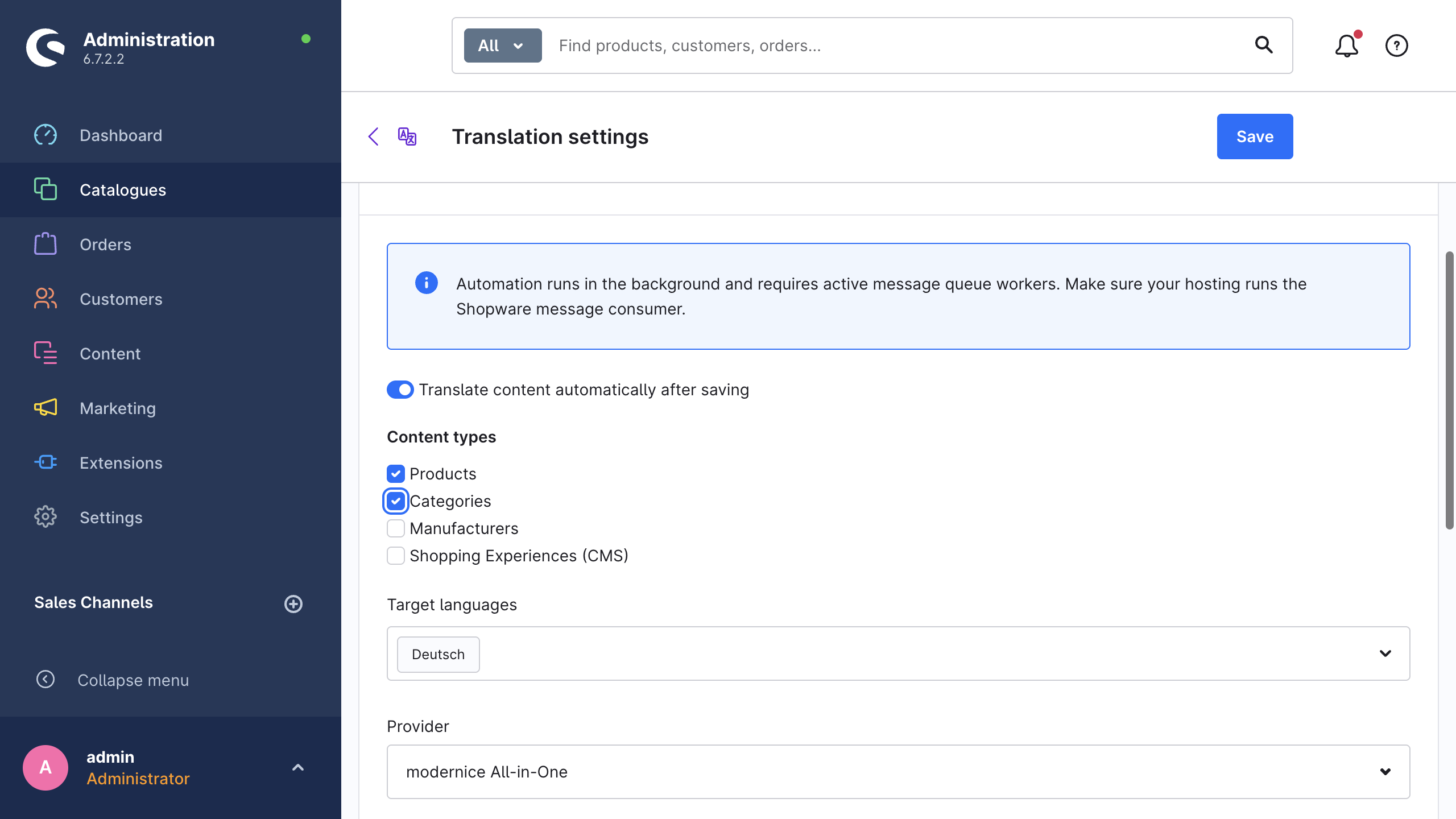
Both cards depend on active message queue workers. A notice at the top of the tab gives this warning: Automation runs in the background and requires active message queue workers. Make sure your hosting runs the Shopware message consumer.
Translate on save
| Setting | What it does | Default |
|---|---|---|
| Translate content automatically after saving | The extension translates the content that somebody saves in the default language into the selected target languages, automatically. | off |
| Content types | The content types that the automation watches: Products, Categories, Manufacturers, Shopping Experiences (CMS). | none selected |
| Target languages | The languages that the extension translates the saved content into. The list does not offer the system language. | none selected |
| Provider | Select one provider for each target, or use the per-language mapping with the default provider as the fallback (Use language mapping / default). | Use language mapping / default |
On-save translations operate without a job header. While the history recording is on, their changed fields still appear in the global translation history. The Open translation history button goes directly there.
Scheduled translation
| Setting | What it does | Default |
|---|---|---|
| Translate missing content on a schedule | Creates translation jobs for untranslated content, at the interval below. | off |
| Interval | Hourly, Every 6 hours, Every 12 hours, Daily (recommended) or Weekly. The card shows this field only while the schedule is on. | Daily (recommended) |
| Content types | The content types of the scheduled run. These are the same four values as on save, but you select them separately. | none selected |
| Last run | A read-only timestamp of the last scheduled run, or Never. | Never |
Scheduled translation uses the target languages from the on-save card above, but you select its content types separately: a type that you enable for on-save does not go into the schedule.
The scheduled task nice_translate.auto_translate of Shopware ticks once an hour and starts a run after the configured interval passed since the last run. Both workers must operate for that (scheduled-task:run and messenger:consume). While Translate missing content on a schedule is off, no translation run happens, whatever the configured interval is. A due run creates one job for each provider group, therefore a language mapping across several providers produces several jobs.
A second scheduled task, nice_translate.dispatch_batches, runs every minute. It has no setting on this page. It collects the batches and the job-finished notifications that the first attempt did not deliver.
Advanced
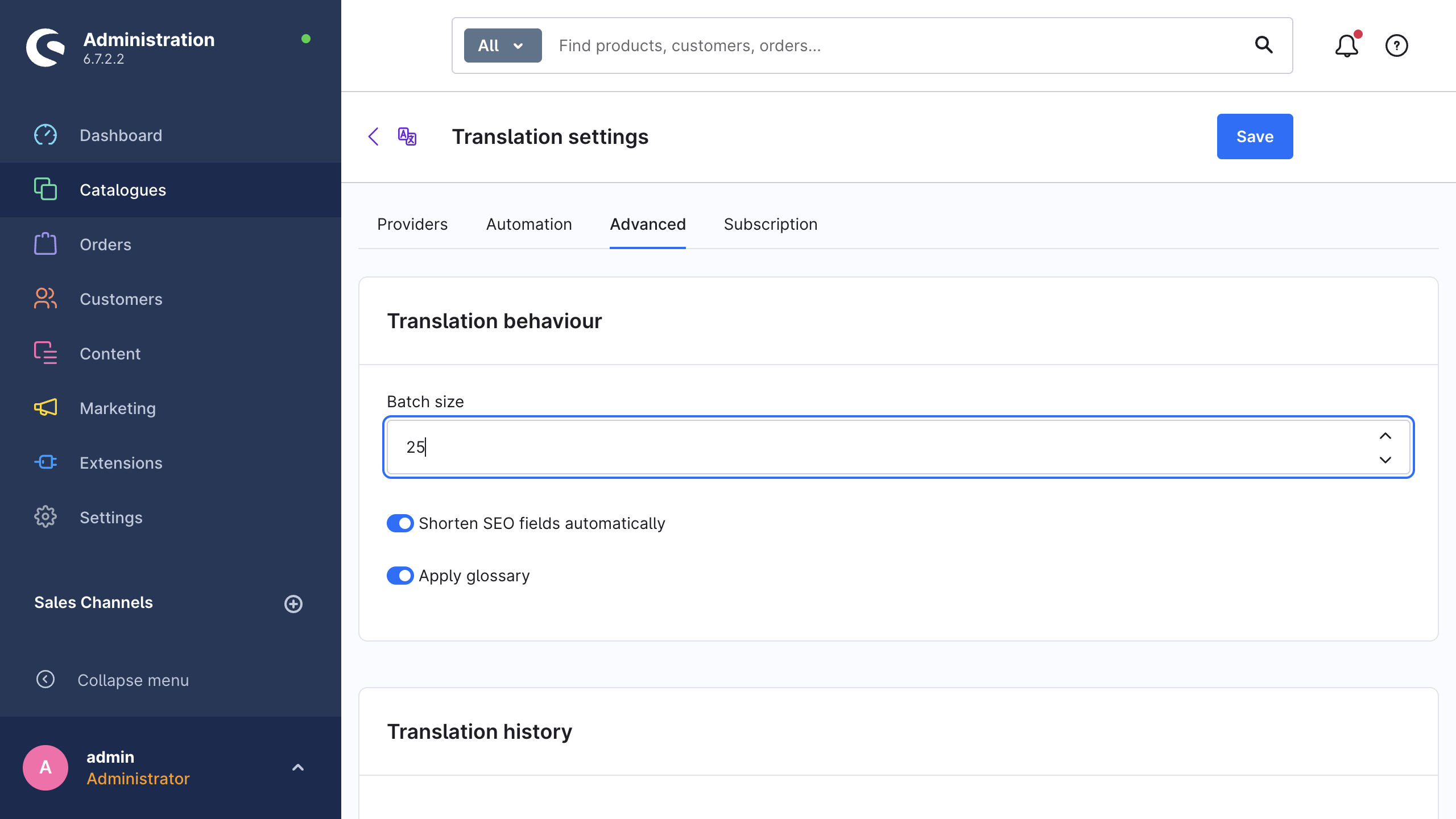
Translation behaviour
| Setting | What it does | Default |
|---|---|---|
| Batch size | The number of records in one queue message. The accepted range is 5 to 200, and values between 10 and 50 suit most shops. The extension clamps a value outside the range. | 25 |
| Shorten SEO fields automatically | Cuts the meta titles and the meta descriptions at word boundaries when the translation exceeds the field limit. See Safety mechanisms. | on |
| Apply glossary | Applies your glossary terms to each translation. If you switch this off, the glossary is off globally, even for the jobs that request it. See Glossary. | on |
Translation history
| Setting | What it does | Default |
|---|---|---|
| Record translation history | Stores the previous value and the new value of each translated field, so that you can revert or re-apply the translations later. See Translation history. | on |
| Retention period (days) | The extension deletes the history entries that are older than this period, also when the recording is off. The accepted range is 1 to 365. The cleanup goes through the hourly scheduled task, therefore the scheduled-task runner must be active. | 30 |
Excluded fields
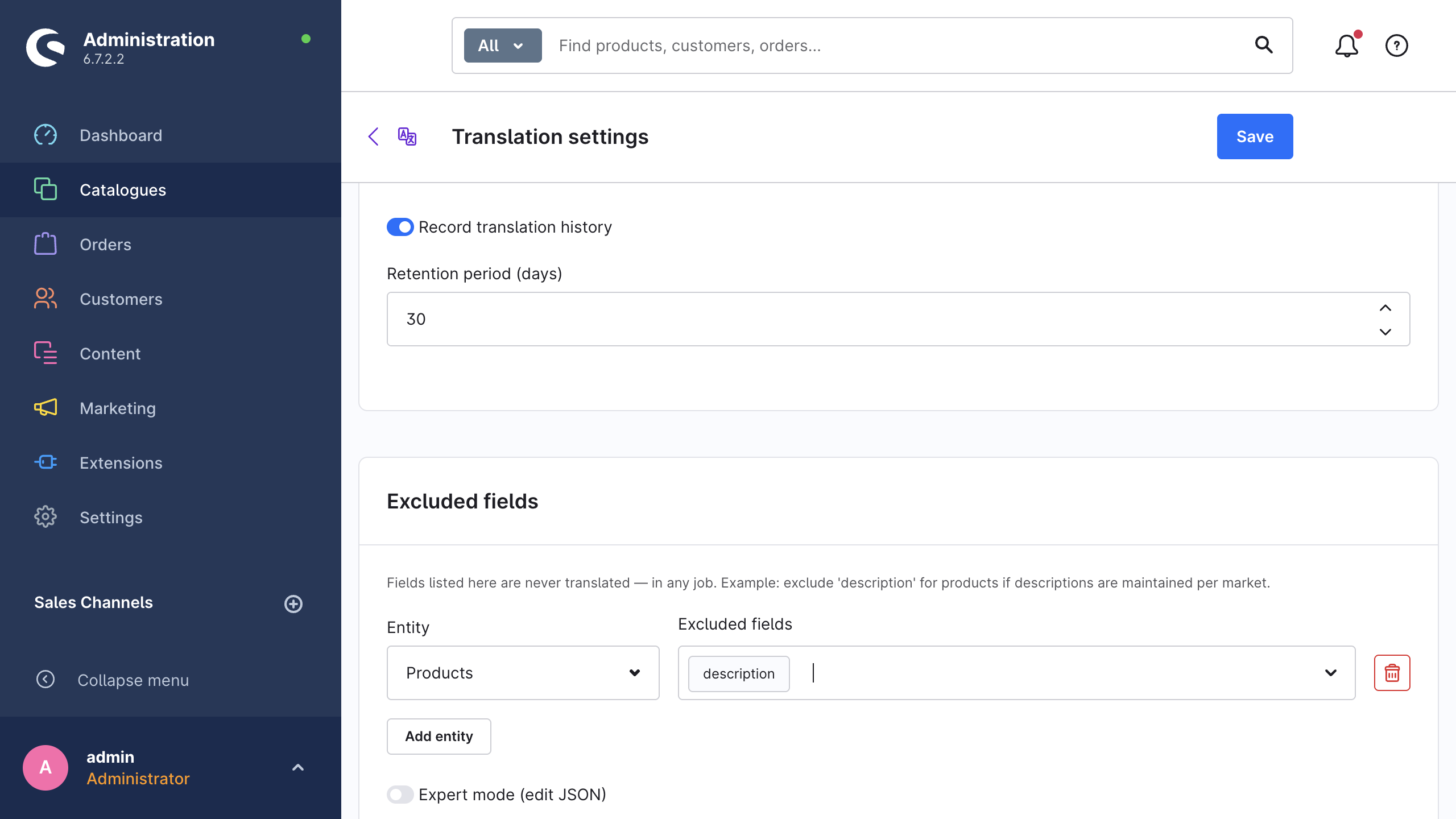
The extension never translates the fields that you list here, in any job, wizard run, quick translation or automation run. For example, exclude description for the products if each market writes its own descriptions.
| Setting | What it does | Default |
|---|---|---|
| Entity | The content type that an exclusion row applies to. Add entity adds a row, and Remove entity deletes it. | no rows |
| Excluded fields | The fields of that entity that the extension never translates. The custom-fields entry has the label (all custom fields). | none |
| Expert mode (edit JSON) | Edits the same configuration as raw JSON: an object of {"<entity>": ["<field>", …]}. | off |
If the JSON is invalid, the extension blocks the save with Excluded fields must contain a valid JSON object. Please correct the input before saving. and returns you to the Advanced tab. The expert mode continues to operate even if the extension cannot load the entity list.
Supported content lists the fields that exist for each content type.
Source languages
| Setting | What it does | Default |
|---|---|---|
| One select for each target language, labelled with the language name | Select the language that the extension uses as the source for that target language. If you select nothing, the extension uses the system default language. | System default language |
A source language that you select in the wizard overrides this mapping for that run. See Translation wizard.
Subscription
This tab contains the modernice All-in-One card. modernice All-in-One gives the full walkthrough.
| Setting | What it does | Default |
|---|---|---|
| Subscription plan | Selects the plan for the checkout: Starter, Growth, Scale or Enterprise, each with its included monthly credits. The extension stores no setting for it. The field controls the Subscribe or Change plan button. | Starter |
| Default service tier | The tier that a run uses when it selects none: Speed · 1×, Balanced · 3× or Premium quality · 8×. The tier controls the translation quality and the credit consumption. | Balanced · 3× |
| Subscribe / Change plan (buttons) | Opens the in-app purchase checkout of Shopware for the selected plan. | — |
| Refresh status (button) | Reads the Shopware in-app purchase state and the credit quota again. | — |
While a plan is active, the card also shows Active plan, Translation credits (used of included, with a progress bar) and Billing period.
Configuration keys
All keys are in the system configuration domain NiceTranslate.config.. The extension has no config.xml. You edit these values through the settings page above, or programmatically through the system configuration API of Shopware.
| Key | Type | Default | Tab |
|---|---|---|---|
defaultProvider | string | deepl | Providers |
tone | enum | default | Providers |
customPrompt | string | empty | Providers |
languageProviderMap | object | {} | Providers |
deeplApiKey | string | empty | Providers |
deeplModelType | enum | prefer_quality_optimized | Providers |
deeplFormality | enum | default | Providers |
googleApiKey | string | empty | Providers |
openaiApiKey | string | empty | Providers |
openaiModel | string | gpt-5.6-luna | Providers |
anthropicApiKey | string | empty | Providers |
anthropicModel | string | claude-opus-5 | Providers |
geminiApiKey | string | empty | Providers |
geminiModel | string | gemini-flash-lite-latest | Providers |
mistralApiKey | string | empty | Providers |
mistralModel | string | mistral-small-latest | Providers |
autoTranslateEnabled | bool | false | Automation |
autoTranslateEntities | array | [] | Automation |
autoTranslateLanguageIds | array | [] | Automation |
autoTranslateProviderId | string | empty | Automation |
scheduledEnabled | bool | false | Automation |
scheduledIntervalHours | int | 24 | Automation |
scheduledEntities | array | [] | Automation |
scheduledLastRun | string | empty (the scheduled task writes it) | Automation |
batchSize | int | 25 | Advanced |
seoTruncate | bool | true | Advanced |
glossaryEnabled | bool | true | Advanced |
historyEnabled | bool | true | Advanced |
historyRetentionDays | int | 30 | Advanced |
excludedFields | object | {} | Advanced |
sourceLanguageMap | object | {} | Advanced |
managedServiceTier | enum | balanced | Subscription |
The enums accept these values: tone accepts default, formal or informal; deeplModelType accepts prefer_quality_optimized, quality_optimized or latency_optimized; deeplFormality accepts default, prefer_more or prefer_less; managedServiceTier accepts speed, balanced or quality. languageProviderMap maps a language id to a provider id. sourceLanguageMap maps a target language id to a source language id. excludedFields maps an entity name to a list of field names.